
How to send photos to clients professionally.
Separate review from final delivery, set clear expectations and give clients a private, simple path from previews to finished files.
Professional delivery is not only about moving files. Use the right stage for previews, keep private access clear, tell the client what action is expected, and deliver final files in a clean destination that matches the project.
Give clients one clear place to review, choose and receive their photos.
GaliVue separates preview selection from final delivery while keeping the project history and filenames connected, so every handoff feels deliberate.
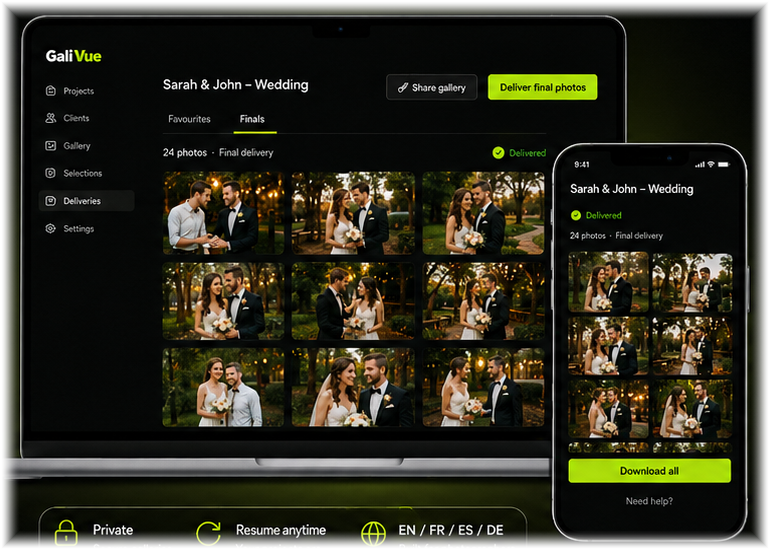
1. Separate previews from final files
Preview files and final files have different jobs. Previews help a client make decisions; finals are the polished deliverables. Keeping those stages separate prevents unedited work from being mistaken for finished work and makes download permissions easier to control.
2. Explain what the client should do
Every share should answer three questions: what am I looking at, what should I do, and by when? A short note can explain whether the client is selecting favourites, reviewing a proof or simply downloading finals. If there is no deadline, say so rather than creating unnecessary urgency.
3. Use private access that fits the project
A private project link is usually cleaner than a public folder. It gives the client one destination and allows the photographer to control the project lifecycle. Use expiry or revocation controls when appropriate and avoid sending sensitive project material through open public links.
4. Keep final delivery clean
When the edits are complete, make the final gallery obviously different from the proofing stage. Provide straightforward download actions, preserve sensible filenames and avoid mixing old previews into the final delivery area unless the client still needs them for context.
5. Keep the project record together
A connected project makes support easier later. If the client asks which images were selected or whether the final files were delivered, the photographer should not have to search several services and email threads to reconstruct the history.
6. Choose transfer software that fits the photography workflow
If the job only needs a one-off transfer, a general file-transfer service may be enough. When the client must review previews, choose favourites, preserve filenames and receive finals later, use a workflow that keeps those stages connected.
What to avoid
- Sending final files through the same confusing folder used for proofs
- Using a public link when the project needs private access
- Giving no instruction about whether the client should select, approve or download
- Changing filenames unnecessarily between stages
- Scattering the project across several unrelated transfer tools
What to do next
For selection-based jobs, connect preview sharing to a formal client selection before the final delivery stage.
Related GaliVue product pages
File transfer and delivery resources
Start free. Upgrade only when the workflow earns its place.
Use the Free Test on a real client project first. Paid plans begin at €7/month when you need more projects, photos and storage.
1 test project · 100 photos · 1 GB
Start free test1 project/month · 500 photos · 5 GB
Start free test5 projects/month · 2,500 photos · 25 GB
Start free test20 projects/month · 5,000 photos · 100 GB
Start free testMonthly prices shown. Annual Solo, Starter and Pro billing includes 2 months free.
Put the workflow into practice.
Use GaliVue’s Free Test to run one real project from preview sharing through client selection and final delivery.
See plans & start free