
AI photo culling for photographers: use AI as a first pass, not the final eye.
AI can reduce repetitive first-pass review, but the photographer should still decide what is technically acceptable, emotionally strong and appropriate for the client.
GaliVue is preparing optional AI-assisted photo selection. The live workflow today is Client Selection. AI is not required for the current selection-to-delivery workflow, and this guide does not present the upcoming AI feature as already released.
Use AI to save review time — then keep the human decision and client workflow connected.
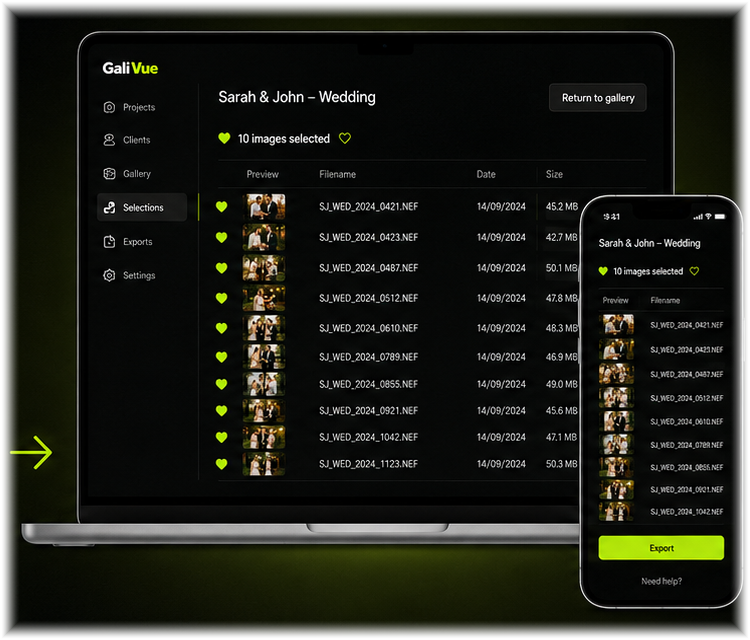
AI-assisted selection is being prepared. Today, GaliVue’s live workflow starts after your review: share previews privately, collect client selections, match filenames and deliver finals.
1. What is AI photo culling?
AI photo culling is the use of automated analysis to help a photographer review a large set of images faster. Depending on the tool, it may help group similar frames or flag technical issues for review. It should be treated as an assistant rather than a substitute for the photographer’s judgement.
2. Separate technical checks from creative decisions
A technically imperfect photograph can still be the strongest image in a story, while a technically clean frame can be emotionally weak. Use automation to reduce repetitive checking, then make the creative decision yourself.
3. Use AI as a first pass
A useful workflow is: ingest the shoot, run an assisted first review, inspect the suggested keep/review groups, restore any important frames, and only then prepare the client-facing selection. Keep the original files untouched throughout the process.
4. Review before the client sees anything
The photographer should approve the set before client proofing. Check continuity, expressions, storytelling, duplicates and any image that matters to the brief. The client gallery should contain deliberate choices, not an unreviewed machine output.
5. Connect culling to the rest of the workflow
Culling saves the most time when it leads into an organised next step. After the photographer review, send previews for client selection, preserve filenames for editing, and keep final delivery connected to the same project.
What to avoid
- Letting automation delete originals automatically
- Sending an AI result to a client without photographer review
- Assuming technical quality and creative value are the same thing
- Breaking filename continuity between culling, selection and editing